
We may earn commissions from products we recommend. Learn more.
Best free antivirus for Mac in 2026: Top picks compared

Best free antivirus for Mac in 2026: Top picks compared
Macs are known for being secure, but that does not mean they are immune to malware. Apple includes several protections in macOS, such as Gatekeeper, Notarization, and XProtect, which help block untrusted apps, find known malware, and fix infections. Still, malware targeting Macs keeps evolving, and attackers now use fake apps, phishing sites, malicious installers, credential theft, and social tricks to bypass these defenses.
At PCrisk, we test antivirus products with real malware we find in our daily research, not just by looking at their features. For this guide, we focused on products we've reviewed and checked what Mac users can get for free, including permanent free versions, free scanners, and trials. Bitdefender is our top pick, but its free Mac version is mainly an on-demand scanner, not a full real-time antivirus. If you want always-on, free protection for your Mac, Avast is the one to look at.
Table of Contents:
- Introduction
- Is a free antivirus program enough for Mac?
- Free antivirus comparison
- The best free antivirus for Mac in 2026
- How we test free antivirus programs for Mac
- How to choose a free antivirus program and which features are most important
- Final recommendations
- Frequently asked questions (FAQs)
Is a free antivirus program enough for Mac?
Yes, Macs can still get malware in 2026. Apple says macOS uses layers of security. Gatekeeper and Notarization help prevent harmful apps from running, and XProtect uses malware signatures to detect and remediate threats. XProtect updates its security info separately from full macOS updates and can block known malware. These are strong protections, but they do not make Macs invincible.
Our antivirus advice agrees with this. Mac users can still face adware, spyware, trojans, bad installers, and other threats, especially from fake software and risky downloads. That is why we see third-party antivirus software as an extra layer of security, not a replacement for Apple's built-in tools.
Recent events show this is a real problem, not just a theory. In March 2026, Malwarebytes researchers found a fake Mac utility website spreading the SHub information stealer. Victims were tricked into pasting a command into Terminal, which let the malware steal passwords, browser data, Apple Keychain info, cryptocurrency wallets, and other sensitive data. Since users ran the command themselves, the attack avoided some of the usual security checks that protect normal app installations.
In July 2026, Malwarebytes reported CrashStealer, a macOS information stealer that pretended to be an Apple component. The attackers used a notarized installer and a fake password prompt. This shows how social engineering and fake trusted software can get around the protection users expect from Gatekeeper and app notarization.
Is a free antivirus enough? For careful Mac users who avoid risky behavior, a good free antivirus can be one part of a strong security setup. This also means keeping macOS and apps updated, only installing trusted software, being wary of unexpected password or Terminal prompts, keeping backups, and using the Mac's built-in security features. No antivirus, free or paid, can promise total protection against every new or targeted threat.
It's important to understand what "free antivirus" really means. The products in this article fit into three groups. Avast offers a truly free Mac product with ongoing protection. Bitdefender and Malwarebytes give you permanent free scanning, but their free Mac versions are not the same as full paid suites with always-on protection. ESET and Norton are more like free trials, since their full protection requires payment after the trial ends.
For many people, this difference is more important than how many extra tools a product advertises. If a free antivirus only scans when you open it, it can find infections that are already there, but it can't prevent threats in real time like a monitor that checks files as they arrive. Malwarebytes shows this clearly: its free version offers on-demand scanning and removal, but continuous protection is available only in the Premium version after the 14-day trial.
Free antivirus comparison
The table below shows what Mac users can get without having to buy anything long-term. "Free real-time protection" means your Mac is actively monitored at no cost, either indefinitely or for the listed trial period. Money-back guarantees apply only to paid versions, and the details may vary depending on how you pay and where you live.
| Antivirus | PCrisk review rating | Free Mac option | Free real-time protection | Money-back guarantee | Best free use |
| Bitdefender | 4.5/5 | Free Virus Scanner for Mac | No, free Mac scanner is primarily on-demand | 30 days | Manual and deep malware scanning |
| ESET | 4.4/5 | 30-day fully functional trial, no permanent free desktop plan | Yes, during trial | 30 days | Testing full protection before buying |
| Malwarebytes | 4.3/5 | Permanent free on-demand scanner, plus 14-day Premium trial | No after trial | 60 days on Premium subscriptions | Malware cleanup and second-opinion scans |
| Avast | 4.2/5 | Permanent free Mac antivirus | Yes | 30 days on eligible paid purchases | Always-on protection without a subscription |
| Norton | 4.1/5 | Trial only, no permanent free antivirus | Yes, during trial | Up to 60 days on eligible annual subscriptions | Trying a more complete security suite |
PCrisk rates Bitdefender at 4.5, ESET at 4.4, Malwarebytes at 4.3, Avast at 4.2, and Norton at 4.1. In our latest roundup, Bitdefender, Malwarebytes, and Avast all offer free options, while ESET and Norton do not have permanent free versions. For Mac users, our individual reviews include important platform-specific details.
It's important to note that the free version of Bitdefender is only for Windows, so Mac users do not get the same free real-time antivirus as Windows users. Instead, Bitdefender offers a free Virus Scanner for Mac, which can scan for both Mac and Windows malware with quick, deep, and custom scans. Because of this, we consider the free Mac version an on-demand scanner rather than a real-time protection tool.
The best free antivirus for Mac in 2026
1. Bitdefender: Best overall free Mac scanner
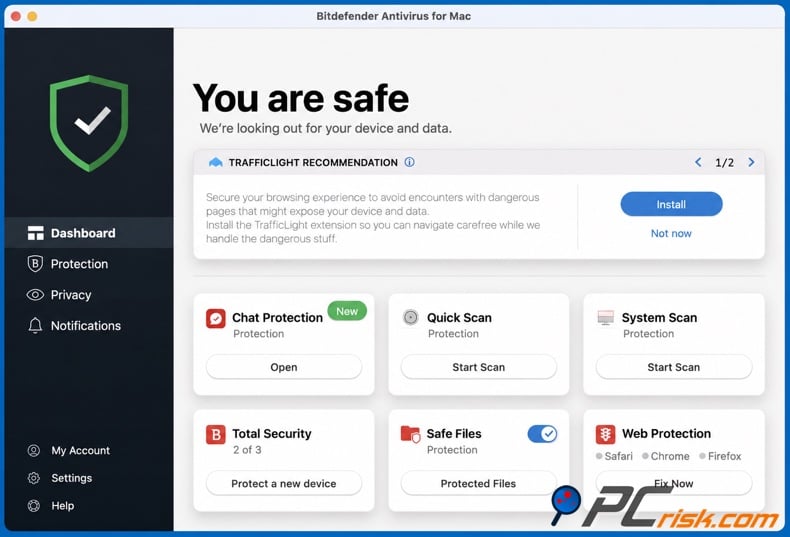
Bitdefender is our top pick because it has the highest PCrisk rating here, 4.5 out of 5, and one of the best malware engines we tested. In our hands-on tests, it found 19 out of 20 Mac-specific malware samples, 19 out of 20 trojan and information-stealer samples, and all 20 ransomware samples.
If you want to avoid spending money, it's important to know what Bitdefender offers. The free Windows antivirus has real-time protection, but that's only for Windows. On a Mac, Bitdefender gives you the Virus Scanner for Mac, which is free and can scan for both Mac and Windows malware. You can choose quick, deep, or custom scans.
This makes Bitdefender a good choice if you need to check your Mac after something suspicious happens, scan a batch of downloaded files, or do a full scan now and then. It's also a smart pick for people who mostly trust macOS's built-in security but want an extra reliable malware scanner.
However, Bitdefender's free Mac scanner does not offer full-time, always-on protection like the paid version does. Continuous protection and many extra security tools are only in the paid suites. So, we don't recommend Bitdefender Virus Scanner as a replacement for a real-time antivirus if you often install software from outside trusted sources.
- Pros: Reputable malware engine, useful free Mac scanning, and a relatively lightweight overall product design. Our Bitdefender review also highlights strong independent test performance.
- Cons: No permanent free real-time Mac protection, and many of Bitdefender's wider security features require a paid suite. Some paid plans also impose limitations on bundled extras such as VPN usage.
- Best for: Mac owners who want a high-quality, free, on-demand malware scanner and are comfortable relying on macOS and safe computing habits for continuous baseline protection.
2. Avast: Best free Mac antivirus with real-time protection
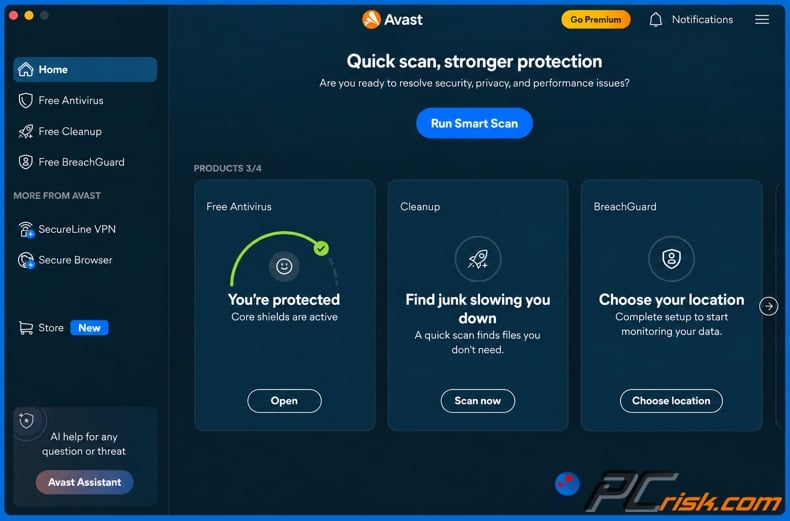
If you want a free antivirus that offers ongoing, always-on protection, Avast is probably the best choice here. PCrisk gives Avast a 4.2 out of 5, and our review highlights its strong malware detection, easy-to-use interface, and generous free features.
Avast's free version doesn't just scan on demand - it monitors for malware all the time. The Mac version offers real-time scanning and protects against spyware, malware, ransomware, and phishing. This means Mac users on a budget get real protection, not just cleanup after an infection.
In our tests, Avast did well but wasn't perfect. It removed 17 out of 20 Mac malware samples. It also caught all 20 ransomware samples and all 20 malicious email attachments we tested, though its results were mixed with other types of malware.
The biggest downside to Avast's free version is the pressure to upgrade. We noticed lots of ads and prompts to buy the paid version. Also, Avast's past privacy issues are still worth considering, even though the company has changed since then.
- Pros: Permanent free option, free real-time malware monitoring on Mac, user-friendly installation and interface, good PCrisk test results, and considerably more preventative value than a manual-only scanner.
- Cons: Upgrade prompts can become irritating, the free tier does not include all protections available to paying customers, and some users may remain cautious due to Avast's past privacy issues.
- Best for: People who want a classic free antivirus for Mac and don't want to pay after a trial ends.
3. Malwarebytes: Best free Mac malware cleanup tool
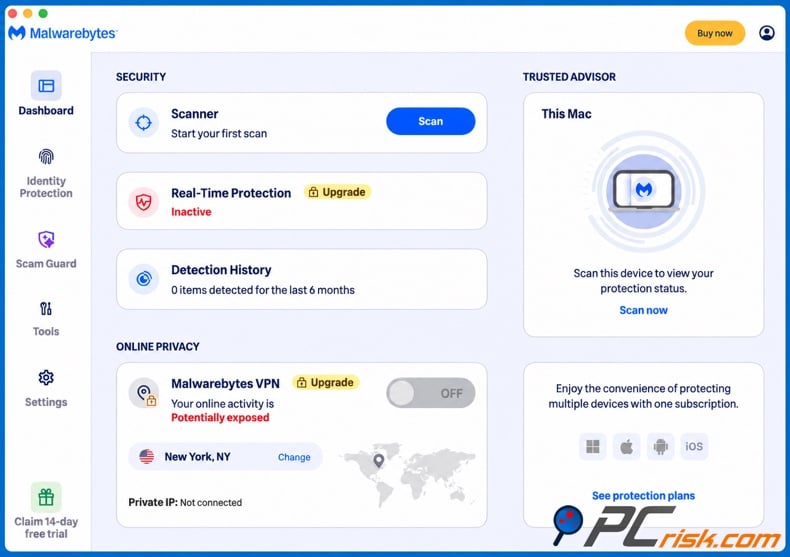
Malwarebytes comes in third because its free version serves a clear and practical purpose. The free version of Malwarebytes lets you scan for and remove malware on demand. After the 14-day Premium trial, it no longer offers real-time protection. PCrisk rates Malwarebytes at 4.3 out of 5.
This makes Malwarebytes a good choice as a second-opinion scanner. If your Mac shows strange ads, redirects, suspicious activity, or other warning signs, the free version lets you check for problems without needing a subscription. We also found the software lightweight, fast, and easy to use.
We found a key limitation in the Mac version during our tests. The app does not offer the same custom or full-scan options as many traditional scanners. When we put malware samples on the desktop, the default scan missed them. However, when we tried to open the files, the Premium real-time feature and macOS protections blocked them. This shows that the free version is best for cleanup and diagnosis, not for ongoing protection.
Malwarebytes skips many of the extra features found in bigger security suites. It does not include parental controls or a firewall, and instead focuses on malware, ransomware, exploit, and web protection in the paid version. Some people like this simple approach, while others may want a more complete package.
- Pros: Always-free malware scanning and removal, easy-to-use interface, lightweight performance, helpful 14-day Premium trial, and a strong focus on cleaning up malware. Paid Premium plans also come with a 60-day money-back guarantee.
- Cons: No always-on free real-time protection, fewer extra features than larger security suites, and our Mac tests showed limits in how the default scan handled test malware samples.
- Best for: Mac users who need a free tool for a second opinion or cleanup, especially after potential exposure to adware or malware.
4. ESET: Best free trial for users considering a lightweight paid antivirus
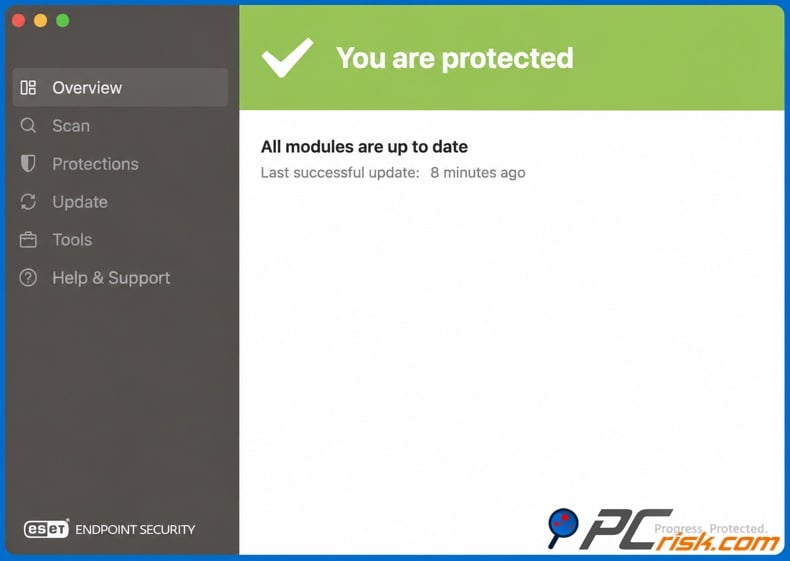
ESET is not always free, so it ranks below products that work without payment. Still, it earns a spot here because it offers a 30-day fully functional free trial. This gives users enough time to test real-time protection before deciding to subscribe. PCrisk gives ESET a 4.4/5, second only to Bitdefender among the five products we compared.
In our ESET review, we highlight its strong malware detection, low impact on system performance, and many customization options. The Home Security products work on macOS, and the full security package can include anti-phishing and network protection, depending on the platform and plan.
For users watching their budget, the trial is helpful because it lets you test the real protection you would pay for, not just a limited free version. The catch is clear: after 30 days, you need a subscription. So, ESET is better for those considering a paid solution, not for those who want something free forever.
ESET's advanced settings are both a strength and a weakness. We appreciate the control over scanning and security, but our review notes that these options can be too much for less-technical users. The top subscription levels can also get expensive.
- Pros: 30-day full trial, strong malware detection, runs quietly, customizable settings, and great for users who want to try before buying.
- Cons: No always-free desktop antivirus, advanced settings may confuse beginners, and higher plans can be pricey.
- Best for: Users who can eventually pay but want a full month to verify that a security product works well on their Mac first.
5. Norton: Best trial for users interested in a broader security suite
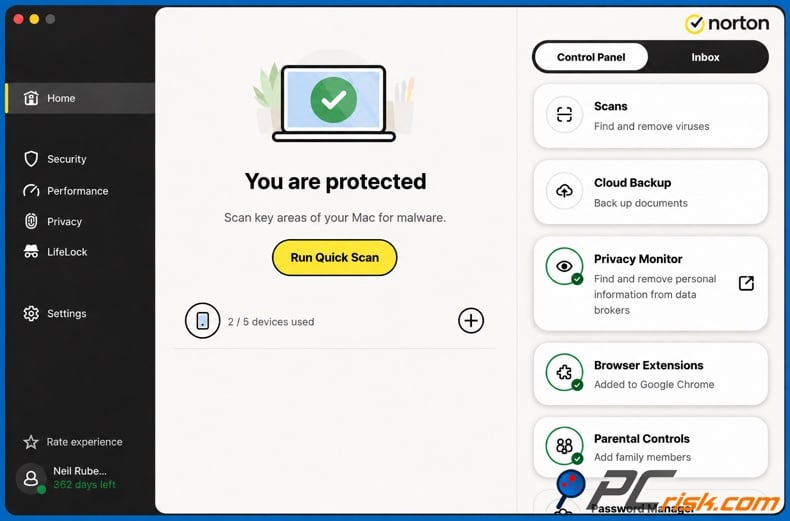
Norton is another product that is not permanently free. PCrisk gives it a 4.1/5, and our review makes it clear that Norton only offers a free trial, not a fully free version. The trial gives temporary full protection for Mac, so it's good for testing but not for long-term free use.
Norton's main draw is its broad ecosystem. Depending on your subscription, you can get antivirus plus tools like a VPN, password manager, dark web monitoring, and more. However, check the details for your platform. For example, our review notes that some backup and family features are not fully available on macOS.
Another downside for budget-minded users is Norton's price after the first term. Our review points out that renewal prices are high, there is some upselling, and the interface can feel split between different parts.
- Pros: Strong malware protection, lots of security features, real-time protection during the trial, works on multiple platforms, and offers a generous refund period for annual plans.
- Cons: No permanent free antivirus, high renewal pricing, some upselling, and not every advertised Norton feature applies to macOS.
- Best for: Mac owners who want to trial a feature-rich security suite before deciding whether the additional services justify a subscription.
Editor's choice: Combo Cleaner
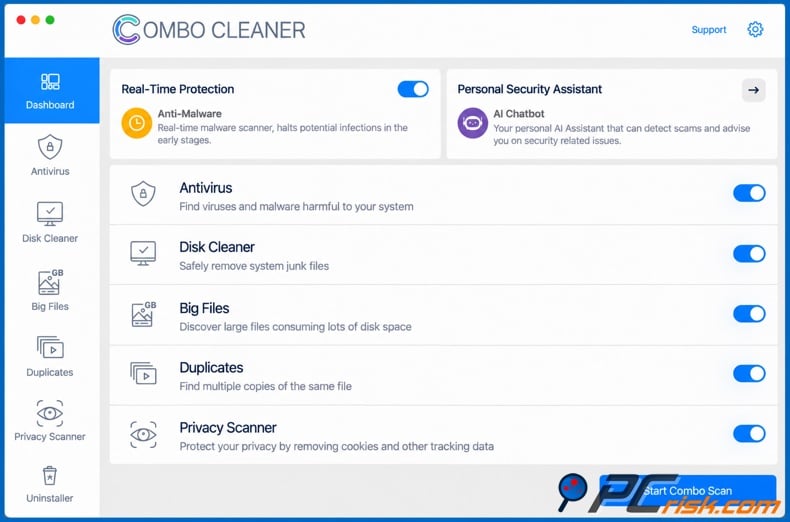
Our Editor's choice is Combo Cleaner, which we discuss separately rather than including it in the free antivirus comparison. PCrisk rates Combo Cleaner at 4.0/5 and names it our Editor's recommendation. For transparency, Combo Cleaner is made by RCS LT, the company behind PCrisk.com. We disclose this relationship in our review and main antivirus roundup.
Combo Cleaner was first made for macOS and combines malware scanning, real-time antivirus and system cleaning tools. In our review, we found it lightweight in daily use. Our tests found all 20 Mac-specific malware samples in that scan, though independent lab coverage is still more limited than for some older products.
It's important to note that Combo Cleaner's free mode is not a full free antivirus. You can scan and use some cleaning features for free, but removing malware and real-time antivirus need a paid license. There is a 7-day trial for full features.
This product stands out for its Mac-focused background, mix of security and cleaning features, real-time protection in the premium version, and easy-to-use tools.
How we test free antivirus programs for Mac
At PCrisk, we consider malware detection and removal the most important factor in our antivirus ratings. Our scoring system gives 60% weight to detection and removal, 15% to performance, 10% to usability and interface, and 15% to extra features. This way, a product can't get a high score just for having a nice interface or lots of extras.
We test antivirus programs using up-to-date malware from our ongoing research. Depending on the product and platform, we look at threats like trojans, information stealers, ransomware, unwanted programs, dangerous email attachments, and malware specific to each system. We check both on-demand scans and real-time protection when available.
Testing real-time protection is especially important for a free Mac antivirus. We check what happens when a harmful file appears, is opened, or starts running. If a free version doesn't have real-time protection, we focus on what its on-demand scanner can detect and remove. This is why a good free scanner can get a positive review, even if it doesn't offer the same level of protection as always-on security.
We also check web and phishing protection when it's available. We visit harmful websites in a safe test environment to see if the antivirus blocks access or stops dangerous downloads. We use the same approach for email protection, testing with malicious attachments we've collected.
Performance is also important. We test antivirus software on both virtual and real computers to see how it affects normal use. We look at things like resource use, how quickly apps respond, startup times, and scan speed. By testing on both fast and slower machines, we can spot products that only seem lightweight because they were tested on powerful hardware.
Usability is less important than malware protection in our scoring, but it still counts. We look at how easy it is to install and use the software, how clear the alerts are, and whether there are too many ads, pop-ups, or upgrade prompts. Even a strong free antivirus isn't helpful if users can't understand its warnings or get annoyed by constant promotions.
We also test additional tools rather than just counting them. If a security suite claims to offer ransomware protection, web filtering, a VPN, password management, network defenses, or cleanup tools, we check whether these features actually work well and aren't limited in ways that make them less useful.
In this free Mac guide, we pay special attention to what features stay available after any trial ends. A 14-day or 30-day trial is useful, but it's not the same as having permanent free protection. This difference is key to how we rank products.
How to choose a free antivirus program and which features are most important
Start by checking if the antivirus offers real-time protection or just on-demand scanning. Real-time protection watches files and activity as they appear or run on your Mac, while on-demand scanning only works when you start it yourself. Both have their uses, but they address different needs. For example, Malwarebytes keeps real-time protection for its Premium version, but still lets you scan and remove malware manually for free.
Malware detection is more important than extra features. In our ratings, detection and removal count for 60% of the score. A free antivirus is not better just because it adds a cleaner, password manager, or network tool. Its main job is to find and remove harmful software.
Also, make sure the features you see are available for macOS. Many antivirus companies offer a single subscription for multiple operating systems, but each version may differ. For example, our Norton review notes that cloud backup is only available for Windows, and Norton Family does not work on Macs. Bitdefender's free real-time antivirus is also just for Windows, though they do offer a separate free scanner for Mac.
Web and phishing protection is very important because many attacks now start outside the usual file system. Fake login pages, bad downloads, scam software sites, and tricky social engineering can steal your information before a regular scan even begins. That's why PCrisk considers web protection a key feature in any antivirus suite.
Ransomware protection is also important. Good antivirus software should do more than just spot ransomware after your files are locked. Real-time ransomware defenses should catch and stop suspicious activity before you lose important documents. We test these claims using real ransomware samples in safe, controlled settings.
Performance is especially important on older Macs. If security software uses too many resources, you might be tempted to turn it off. That's why performance accounts for 15% of PCrisk's score: we look at how responsive and efficient each product is, not just how well it detects threats.
Pay attention to what "free" really means. A permanent free scanner, a permanent real-time antivirus, a 14-day trial, and a 30-day trial are all different. If you want something that stays free, choose software that clearly says which features remain active forever. If you're open to paying later, you might prefer full-feature trials from ESET or Norton.
Think about upgrade prompts and renewal prices before you install. Avast's free version is generous but sometimes asks you to upgrade. Our Norton review points out that renewal costs can be high. Free software shouldn't push you to buy something you don't need, and a low first-year price isn't the same as the long-term cost.
Only use one real-time antivirus at a time. Installing more than one does not give you extra protection. In fact, running multiple real-time antivirus programs can cause problems, such as false alarms, slower performance, and even reduced security. It's fine to use a manual second-opinion scanner, as long as its real-time protection is turned off.
Final recommendations
After reviewing the free Mac options available from the antivirus companies covered by PCrisk, Bitdefender is our overall top choice for 2026, particularly for users looking for a reputable free Mac malware scanner backed by a security engine that performed strongly in our testing. Our Bitdefender Mac-specific test detected 19 of 20 samples, and Bitdefender holds the highest PCrisk rating in this group at 4.5/5.
One important thing to note: Bitdefender's free Mac scanner doesn't offer the same real-time protection as its free Windows antivirus. If you want always-on, permanent protection without paying, Avast is a better choice. Avast's free Mac antivirus provides real-time protection, and in PCrisk's tests, it detected 17 of 20 Mac-specific samples and all ransomware samples.
Malwarebytes is our top pick if you mainly want free on-demand cleanup or a second opinion. ESET is a good choice if you want to try a strong paid security product for 30 days, and Norton is best for those looking at a full subscription suite. Just remember, neither ESET nor Norton offers full protection for free forever.
No matter which antivirus you pick, it should just be one part of your overall security plan. Keep your Mac updated, use Apple's built-in protections, only install software from trusted sources, and back up your important files. Be extra careful with websites or apps that ask you to paste commands into Terminal or enter your Mac password unexpectedly. Apple's Gatekeeper, Notarization, and XProtect form a strong foundation, but third-party antivirus software and safe habits add additional protection.
Frequently asked questions (FAQs)
Can a Mac computer get infected with malware?
Yes, Macs can get infected by adware, spyware, trojans, information stealers, ransomware, unwanted apps, and other types of malware. Apple's Gatekeeper, Notarization, and XProtect help reduce risk, but even Apple says these are just layers of protection - not a guarantee you won't get infected. Recent 2026 information-stealing attacks show that macOS remains a target.
Are free antivirus programs for Mac good enough?
Free antivirus can be enough, depending on your needs and which product you choose. If you keep your Mac updated and only install trusted software, a good free antivirus might be all you need. But remember, a free on-demand scanner isn't the same as free real-time protection. Bitdefender's free Mac scanner and Malwarebytes Free are best for scanning or cleanup, while Avast is the top choice for always-on, free real-time protection.
Why do cybersecurity companies offer free antivirus plans?
A free version lets you try out a company's scanning engine and interface before you decide if you want to pay for more features. Companies usually save extras like better ransomware protection, VPN, identity monitoring, multi-device support, and premium help for paying customers.
Do Macs already have built-in antivirus protection?
Yes, macOS comes with XProtect, Apple's built-in malware detection, plus Gatekeeper and Notarization. Apple says XProtect uses malware signatures, gets updated security info, can block known threats, and can help fix infections. Third-party antivirus adds another layer of security, but doesn't replace the protections built into your Mac.
Can I run two antivirus programs on a Mac?
No, you shouldn't run two antivirus programs with real-time protection at the same time. We recommend using only one full antivirus, since running more than one can cause conflicts, slow down your Mac, trigger false alerts, and even hurt detection. You can still use a separate on-demand scanner for a second opinion, as long as it doesn't run all the time.
Share:
 Facebook
 X.com
X.com
 LinkedIn
 Copy Link

Rimvydas Iliavicius
Researcher, author
Rimvydas is a researcher with over four years of experience in the cybersecurity industry. He attended Kaunas University of Technology and graduated with a Master's degree in Translation and Localization of Technical texts. His interests in computers and technology led him to become a versatile author in the IT industry. At PCrisk, he's responsible for writing in-depth how-to articles for Microsoft Windows.
▼ Show Discussion