
We may earn commissions from products we recommend. Learn more.
How to watch Eurosport in the US in 2026 with a VPN

How to watch Eurosport in the US in 2026 with a VPN?
Eurosport is a leading sports brand in Europe, known for its coverage of tennis, cycling, winter sports, snooker, motorsport, football, rugby, and major international tournaments. Recently, viewer access has become more fragmented. Standalone Eurosport Premium subscriptions ended in 2024, and live sports coverage now appears on platforms such as HBO Max, Max, Discovery+, TNT Sports, or local broadcasters - depending on the country.
For users in the United States, the main challenge is that the European Eurosport live feed is not available as it is in many European markets. US viewers typically receive a different sports lineup on HBO Max, and Eurosport notes that some videos are restricted by country. This article covers Eurosport availability and geoblocking, and covers how a VPN (Virtual Private Network) can help users access geoblocked content.
Disclaimer: PCrisk.com does not promote, encourage, or endorse bypassing geoblocks/geo-restrictions or violating streaming platforms' terms of service. This information is provided for educational purposes to help users understand geo-restrictions, privacy tools, and practical troubleshooting. Always follow local laws and use any method described at your own risk.
 Our top-rated VPN
4.5/5 in our review. Our top pick of the year: almost no slowdown in our speed tests, and it unblocked Netflix, BBC iPlayer and Disney+ without trouble.
Table of Contents:
- Introduction
- Eurosport availability
- Eurosport and geoblocking
- How to access Eurosport content geoblocked in the US?
- Watch Eurosport in the US with a VPN in 2026
- Best VPNs to watch Eurosport
- Can you use a free VPN to watch Eurosport?
- Common issues and solutions when watching Eurosport with a VPN
- Is using a VPN to watch Eurosport in the US legal?
- In closing
- Frequently Asked Questions (FAQ)
Eurosport availability
Eurosport, part of the Warner Bros. Discovery sports brand, specializes in premium live and on-demand sports. The current catalog includes events such as the Grand Slams, Grand Tours, winter sports, snooker, football, rugby, and more. Local Eurosport websites and apps also offer sports news, highlights, and live results. Eurosport is more than just Eurosport 1 and Eurosport 2 - two linear TV channels; it is a digital sports platform that varies by market.
This market-specific approach is significant. Since standalone Eurosport Premium ended, Warner Bros. Discovery now provides access through different services depending on the region. In some areas, Eurosport content is available on HBO Max with a Sports Add-On. In others, it is included with Discovery+, while some countries depend on local pay-TV or telecom partners for Eurosport 1 and Eurosport 2. Therefore, a single universal Eurosport application that offers premium, live-streamed content is no longer available, particularly for users outside Europe.
The following are the most relevant official streaming routes:
HBO Max: in many European markets, former Eurosport Premium streaming access has moved to HBO Max. This includes countries such as Belgium, the Netherlands, Bulgaria, Croatia, Czechia, Denmark, Norway, Sweden, Finland, France, Hungary, Portugal, Romania, Slovenia, and Spain. Depending on the country, Eurosport content may be included through a Sports Add-On or similar sports package, which can include Eurosport 1 and Eurosport 2. However, availability, pricing, billing, and live sports rights vary by market and provider. HBO Max is available across much of Europe, but this does not mean every country receives the same Eurosport coverage, so users should check their local HBO Max or provider page before subscribing.
Discovery+ with sports content: Eurosport help pages direct users in Austria, Germany, and Italy to Discovery+ for former Eurosport Premium access. In these markets, Discovery+ support pages list Eurosport 1 and Eurosport 2 as included live channels.
TNT Sports and HBO Max: Eurosport states that its brand and channels in the United Kingdom and Ireland have become TNT Sports. As of March 2026, TNT Sports is no longer available on Discovery+ and has moved to HBO Max.
Local broadcasters and telecom platforms: Eurosport's help pages confirm ongoing access through local providers in several countries. These include Cablenet TV GO, Cytavision TV, Epic TV, Primetel Smart TV, and Primetel TV2GO in Cyprus; Cytavision TV, EON TV, Nova, and Vodafone in Greece; Sýn, and Síminn in Iceland; GO TV and NexTV in Malta; blue, regional Digital Cable Group providers, and Sunrise in Switzerland; and D-Smart, Digiturk, S Sport Plus, Tivibu, Türksat Kablo TV, and TV+ in Turkey.
Official free access is limited. Full live Eurosport streams usually require a paid plan, add-on, or partner TV subscription. Free options typically offer only short-form content, not the premium live feed.
The main official free Eurosport options are:
Eurosport websites and apps in supported markets: the official website and mobile apps continue to offer sports news, highlights, and live results after the end of Eurosport Premium. These platforms are useful for accessing clips, updates, and event summaries, but do not provide full live premium channel access.
TNT Sports watch pages in the UK and redirected regions: TNT Sports provides free highlights and clips online. In the UK, Ireland, and several redirected markets - sports news, clips, and related content are now available on TNTSports.co.uk rather than on Eurosport-branded local pages. This content is primarily short-form and does not replace full-time free live Eurosport access.
For US viewers, this distinction is important. If you only want to watch highlights and clips, some content is more accessible than full live event coverage. Accessing European live channels or country-specific sports packages requires paid services, is subject to licensing restrictions, provider limitations, and regional checks.
Eurosport and geoblocking
Eurosport exemplifies territorial licensing. Sports broadcasting rights are negotiated by country, meaning that availability depends on your location. Streaming platforms are obligated to ensure that their services or parts of their catalog are unavailable where they do not have rights.
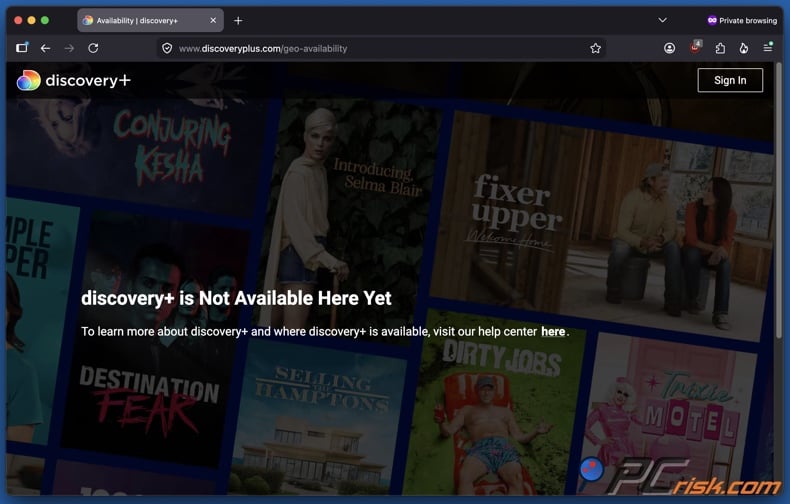
Geoblocking usually starts with location detection, most often using the visitor's IP address to determine their country and sometimes city or region. Streaming services may also check cached browser data, account region, subscription provider, app store region, DNS behavior, and device location permissions (for mobile apps). Hence, a stream may work in one browser but not in an app, or on a laptop but not a phone. For example, HBO Max's US support notes that mobile users may need to share their location for some live sports, while Eurosport cautions that provider and country differences affect available content.
The main issue is not simply that Eurosport is based abroad. The US version of HBO Max sports differs from the European Sports Add-On, which includes Eurosport 1 and Eurosport 2. In the US, HBO Max sports support describes a separate product focused on domestic sports rights and select international events.
It is worth noting that Eurosport's terms allow residents of the European Economic Area (EEA) to access their usual content when temporarily visiting another EEA country. This portability is limited and does not extend worldwide. It benefits subscribers traveling within the EEA but does not grant the same rights in the US.
How to access Eurosport content geoblocked in the US?
A VPN (Virtual Private Network) is a widely used tool for accessing region-restricted streaming platforms. It routes your Internet traffic through a remote server and encrypts the connection between your device and that server. Due to this, streaming services may see your connection as originating from the VPN server's location rather than your own. To elaborate, connecting to a server in Spain, France, the Netherlands, Germany, or another supported market can make the platform treat you as if you are browsing from that country.
This is why VPNs are commonly used for streaming, and they can help users in the US access country-specific Eurosport content that would otherwise be restricted. VPNs are powerful tools; they also help protect information sent over public Wi-Fi. Furthermore, VPNs can be utilized to access content on restrictive networks, such as those in schools, workplaces, or hotels. In practice, VPNs not only change your apparent browsing region but also enhance privacy and reduce network-level monitoring on less-trusted connections.
Using a VPN for Eurosport involves more than selecting a European server. While location is important, you may still encounter account-region checks, provider restrictions, country-specific payment requirements, blocked VPN IP addresses, or app-level location checks. HBO Max's support pages note that payment methods and subscription options differ by country and provider, and some providers do not offer the Sports Add-On. Therefore, even if your connection appears European, you may need an account and payment method that match your target country.
It is important to note that Eurosport's terms explicitly prohibit accessing the service or purchasing a subscription through a virtual proxy network. The company reserves the right to suspend or terminate access if these terms are violated. While a VPN may provide technical access, it does not guarantee service availability or protect against potential account actions for violating platform ToS (Terms of Service).
To summarize, a reliable VPN can improve your chances of accessing Eurosport by assisting with IP geolocation, providing encryption, and enhancing privacy on public or restrictive networks. However, it cannot guarantee uninterrupted access, bypass billing restrictions, or eliminate the risk of ToS violations.
A VPN does not replace dedicated security software. The latter can be crucial when accessing unfamiliar streaming services or unofficial Eurosport streams, which may expose you to deceptive ads, fake video players, phishing pages, and malicious downloads. Combo Cleaner mitigates such risks by blocking dangerous sites, detecting suspicious files, identifying malware, and removing threats capable of compromising your device. While no tool offers complete protection, using Combo Cleaner with a trusted VPN provides an important layer of security.
 Made by RCS LT, the company behind PCrisk
- Detect malware already on the device
- Block phishing pages once you open them
- Remove adware or browser hijackers
- Scans for free and shows what it finds
- Removes it with a licence, 7-day free trial
- Blocks scam and phishing sites in the browser (Windows)
Watch Eurosport in the US with a VPN in 2026
To watch Eurosport from the US, start by selecting the correct service route. Eurosport no longer offers a single global subscription, so confirm whether your target country uses HBO Max, Discovery+, TNT Sports, or a local partner platform.
Step 1: Select a reputable VPN provider
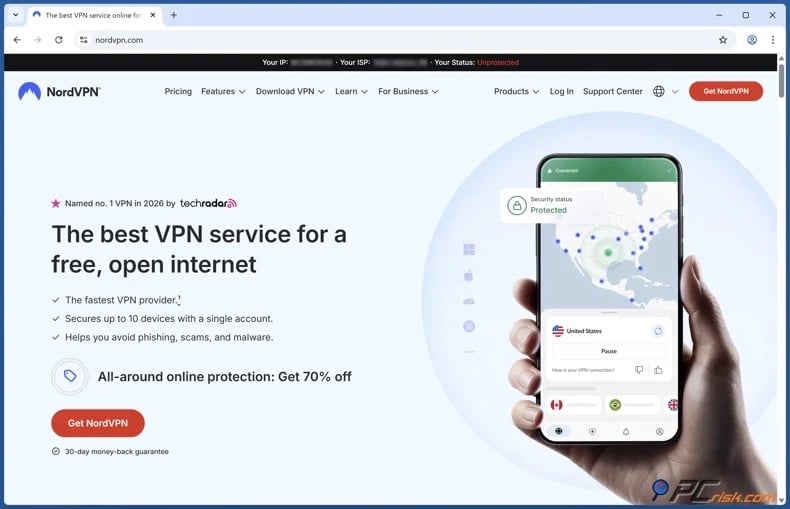
When choosing a VPN for Eurosport, prioritize stable streaming speeds, strong privacy, reliable European servers, and compatibility with TVs and routers. We recommend NordVPN - our top 2026 VPN choice; ranked so for its speed, privacy, device flexibility, and dependability with major streaming services.
Step 2: Install the VPN app and sign in
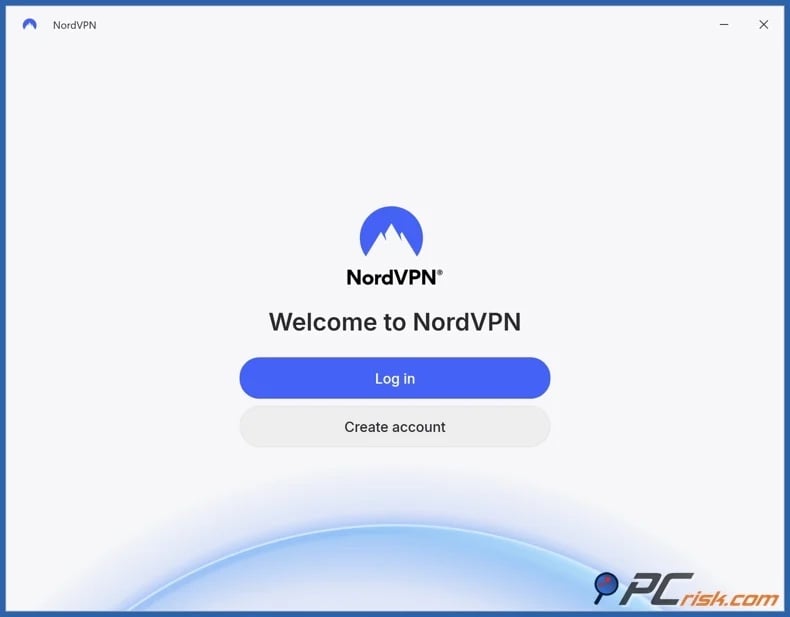
Most major VPNs support Windows, macOS, iOS, Android, and many streaming devices. Install the app on your preferred device. Testing on a laptop or desktop browser is often easiest, as cookies, cache, and DNS issues are simpler to resolve than on TVs and mobile apps.
Step 3: Connect to a server based in an appropriate country
For example, select Austria, Germany, or Italy for Discovery+, Spain or France for HBO Max Sports Add-On, or the UK for TNT Sports. Choose the closest available server in the target country to decrease latency and maintain stable speeds.
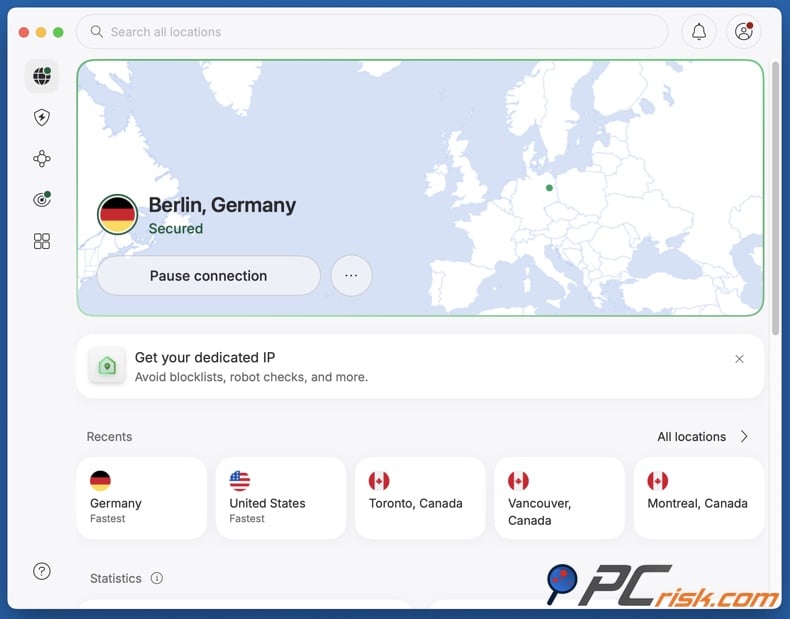
Step 4: Open the relevant service and start streaming
When creating a new account, note that payment methods may vary by provider and country (e.g., HBO Max states accepted payment options depend on your location and billing entity). For troubleshooting advice, check out the "Common issues and solutions when watching Eurosport with a VPN" section of this article.
For smart TVs, the setup depends on the device:
- If your TV or streaming device supports native VPN apps, install the VPN, connect to the target country, and open the streaming service. This is the simplest setup.
- If your TV does not support VPN apps, install the VPN on a compatible router or share a VPN connection from a computer. Router-level setup is often the best long-term solution for unsupported TVs, as it automatically applies the VPN connection to all devices on the home network.
- If possible, test with a browser or casting on a laptop first. This can help confirm that the server works before setting up the TV.
It must be stressed that even with a strong VPN, you still need a valid subscription. Some services require a supported billing method, a provider bundle, or a Sports Add-On that is not available from all sources. If you receive a provider-related message instead of a country message, the issue may be billing or package compatibility rather than your VPN server.
Best VPNs to watch Eurosport
Selecting a VPN for Eurosport involves more than obtaining a European IP address. Live sports require strong and stable speeds, low latency for smooth playback, reliable applications, and a diverse server network to ensure quick switching if a server is blocked.
Below are our top five VPN choices for 2026 (for an in-depth comparison, read our dedicated article):




1. NordVPN
NordVPN is the top overall choice. It ranks first for streaming due to its fast speeds, broad server coverage, strong privacy features, and flexible support for smart TVs and routers. For Eurosport, this flexibility allows you to test different European locations or switch devices without changing services. NordVPN is the most reliable option if smooth live sports streaming is your priority.
2. Surfshark
Surfshark is ideal for households or users with multiple devices. It is noteworthy for its unlimited simultaneous connections policy, allowing one subscription to cover your laptop, phone, tablet, TV, and other devices. Surfshark is a solid streaming option, suitable for families or shared households seeking flexibility without multiple VPN subscriptions.
3. Mullvad VPN
Mullvad VPN is the leading privacy-focused option. It is the best choice for users prioritizing minimal data exposure, due to the privacy-centric registration process and strict no-logs policy. However, this VPN is less optimized for streaming than mainstream competitors. If privacy is the main priority, Mullvad VPN is an excellent choice.
4. Proton VPN
Proton VPN offers a strong balance of transparency, security, and usability. It is a worthy security-focused option, and notable for its credible free plan. While paid plans are better suited for streaming, Proton VPN is a great choice for users seeking a privacy-oriented provider with a transparent reputation.
5. ExpressVPN
ExpressVPN is the most user-friendly premium option. It is noted for its polished app design, comprehensive setup guides, and straightforward troubleshooting. This is especially helpful for Eurosport, where account and regional differences can be quite complex. ExpressVPN is a quality choice for those preferring an easier setup and minimal configuration.
It must be reiterated that no VPN can guarantee continuous access to any given platform or site. Streaming services in particular can be aggressive in detecting and blocking suspected VPN traffic. Likewise, a VPN cannot resolve issues related to region-based payment methods.
Can you use a free VPN to watch Eurosport?
Free VPNs are widely available, but they are rarely suitable for streaming, and this includes watching Eurosport from the US. Sports streaming requires high speeds for HD playback, stable connections, and unflagged IP addresses. Most free VPNs do not meet these requirements.
The following are some of the primary limitations and risks associated with free VPNs:
Limited server selection - free VPNs typically provide access to fewer countries and smaller server pools. Hence, crowded servers, reduced speeds, and potentially flagged IP ranges - are incredibly likely. For Eurosport, where access to specific countries is important, limited coverage is a significant disadvantage.
Poor streaming performance - live sports highlight any connection weaknesses. Slow speeds cause buffering, frame drops, or reduced video quality. This is particularly problematic for sports where missing a few seconds can be critical. While free VPNs may suffice for basic browsing, they are inadequate for premium live streams.
Lower trust and weaker protections - using a VPN requires trusting the provider with all your Internet traffic, and research has shown that some VPN apps lack encryption or raise privacy and security concerns. This risk is heightened with free providers, as they must make revenue through other means if they do not charge users. Profit may be generated by injecting ads, monetizing user data, or other questionable means.
Dubious free VPN apps - some free VPN apps suffer from poor security design, traffic leaks, excessive permissions, or even malware. Free services may be used as a proxy infrastructure for abuse. Hence, free VPNs may not only be ineffective but can also pose severe security risks.
Increased likelihood of streaming blocks - even if a free VPN is not malicious, its IP addresses are often heavily reused, making them easy for streaming platforms to detect and subsequently block. Therefore, while a free VPN may allow initial entry to a website, it is unlikely to provide consistent access to premium services that enforce territorial restrictions.
If you require a free VPN for general privacy or basic browsing, the free plan from Proton VPN is our recommendation. This tier has no data caps, no ads, and does not log user activity - making it more credible than most free alternatives. However, for reliable Eurosport streaming, a paid VPN remains the better option.
Common issues and solutions when watching Eurosport with a VPN
Even with a reliable VPN, problems may arise with region-locked sports services. For Eurosport, common issues include country detection, service confusion, provider restrictions, and billing mismatches. Fortunately, most problems can be resolved through standard troubleshooting steps.
Continued geoblocking - messaging like "This service is unavailable in your region", "This video is unavailable in your country", and similar typically indicate that the platform has been accessed from an unsupported location or has detected a blocked IP address. Possible causes include a flagged VPN IP, outdated cookies, mobile location data, or an incorrect country-service pairing.
Solutions:
- Switch to another server in the same target country.
- Clear browser cookies and cache, then try again in a private window.
- Disable location access for the browser/app if the device is using GPS or other location signals (note that disabling these permissions may cause issues with some streaming services).
- Test in a desktop browser before returning to the app.
Using the wrong service route - "Eurosport" does not refer to the same platform in every country. For example, some countries use HBO Max, others use Discovery+, and the UK and Ireland now access Eurosport content through TNT Sports on HBO Max instead of a standalone Eurosport service.
Solutions:
- Confirm which service the target country actually uses before troubleshooting further.
- If you targeted the UK, use the TNT Sports route rather than searching for deprecated Eurosport subscription pages.
- If you targeted Austria, Germany, or Italy, try the Discovery+ route rather than HBO Max.
Sports Add-On is missing or unavailable - HBO Max does not offer it through every subscription provider. Even if you are connected to the correct country, your current plan may not include the required sports package.
Solutions:
- Confirm which provider bills your subscription.
- Consider subscribing through a supported provider if yours does not offer the Sports Add-On.
- Confirm that your account includes the Sports Add-On, not just the base entertainment plan.
Buffering, low quality, or frequent pauses - typically caused by slow connection speeds rather than regional restrictions. Long-distance routing and crowded servers can worsen these issues, especially during live sports.
Solutions:
- Switch to a geographically closer server within the target country.
- (If this data is available) Switch to a less crowded server.
- (If applicable) Pause other heavy network activity, such as large downloads, different streams, etc.
- (If possible) Use a wired Internet connection or stronger Wi-Fi.
App reveals your real location - mobile and streaming apps often enforce stricter location checks than browsers by using device-level location services. For example, HBO Max's US support materials specifically mention location sharing for live sports on phones and tablets.
Solutions:
- (If possible) Disable location permissions for the app (note that disabling these permissions may cause issues with some streaming services).
- Use the browser version instead of the mobile app.
- If the phone route keeps failing, try a laptop or a TV connected through a router-level VPN setup.
Payment or sign-up issues - for some streaming services, such as HBO Max, payment methods and provider support vary by country and billing route. Hence, account creation can fail even if your VPN is functioning properly.
Solutions:
- Confirm that you are signing up through a country-supported provider or direct billing route.
- (If applicable) Confirm that the plan you selected includes sports access.
- Try the service in a browser first, because it is easier to troubleshoot than signing up entirely inside a TV app.
To summarize, most Eurosport access issues can be resolved by changing servers, selecting the appropriate country and platform, clearing stored location data, and confirming sports entitlement for the subscription. It is pertinent to mention that reputable VPNs generally provide more effective support than free services, and contacting your VPN's support team may lead you to a quick resolution.
Is using a VPN to watch Eurosport in the US legal?
VPNs are legal in the United States. The Federal Trade Commission (FTC) provides consumer guidance on VPN applications, highlighting their lawful use for privacy and public Wi-Fi protection. However, legality is only one aspect. A VPN does not override a platform's Terms of Service (ToS) or make unlawful actions permissible. If a platform prohibits certain access methods, those rules continue to apply even if VPN use is legal.
Eurosport's terms are unambiguous - users may not access the service or purchase a subscription using a VPN or similar service. Breaking these terms on a streaming platform may result in account suspension or termination. In other words, the principal risk is not criminal prosecution in the US for VPN use, but rather account enforcement, service denial, or subscription cancellation if the platform detects or objects to the access method.
In summary, using a VPN in the US is generally legal, but accessing geoblocked Eurosport content with such a tool may violate the streaming service's ToS. Users should be mindful of both local laws and platform terms, and recognize that using a VPN does not authorize them to bypass restrictions.
In closing
Accessing Eurosport from the United States is possible, but it now necessitates navigating country-specific platforms, subscription types, and location or billing requirements. Eurosport content may be available through HBO Max, Discovery+, TNT Sports, or local provider apps - depending on your actual or apparent location.
Our top pick of the year: almost no slowdown in our speed tests, and it unblocked Netflix, BBC iPlayer and Disney+ without trouble. $3.39/mo on the 2-year plan or $4.99/mo on the 1-year plan, 30-day money-back guarantee. Compare all three
A VPN may help bypass geoblocking by masking your location and encrypting your connection. VPNs are commonly used to access region-locked content, such as Eurosport from the US. However, VPN access is not guaranteed and does not override platform ToS, provider restrictions, or protect from potential account actions. Using a reputable VPN and maintaining realistic expectations will improve your chances of a hassle-free experience.
Frequently Asked Questions (FAQ)
Why can't I watch Eurosport in the US?
Eurosport access is restricted by territorial licensing agreements. In Europe, viewers may access Eurosport through HBO Max, Discovery+, TNT Sports, or local providers. The US version of HBO Max sports is a separate product and does not currently carry Eurosport content.
How can I watch unavailable or geoblocked Eurosport content in the US?
VPNs are often used to access geo-restricted content and services. These tools can route your traffic through a server in a country where Eurosport is available. While this may work on a technical level, access is not guaranteed, and account/billing restrictions may apply.
Is using a VPN to watch Eurosport legal in the US?
VPNs are legal in the US, but this does not override platform policies. Using a VPN may violate these terms and result in account consequences.
Share:
 Facebook
 X.com
X.com
 LinkedIn
 Copy Link

Karolis Liucveikis
Experienced software engineer, passionate about behavioral analysis of malicious apps
Author and general operator of PCrisk's News and Removal Guides section. Co-researcher working alongside Tomas to discover the latest threats and global trends in the cyber security world. Karolis has experience of over 8 years working in this branch. He attended Kaunas University of Technology and graduated with a degree in Software Development in 2017. Extremely passionate about technical aspects and behavior of various malicious applications.
▼ Show Discussion