
We may earn commissions from products we recommend. Learn more.
Best VPNs for IPTV in 2026 | Top 5 Picks

Best VPNs for IPTV in 2026 | Top 5 Picks
IPTV, or Internet Protocol Television, delivers television and related media over IP-based networks instead of traditional broadcast, satellite, or cable systems. This includes operator-run TV platforms, streaming apps, and on-demand channel services for smart TVs, set-top boxes, phones, and tablets. Since IPTV relies on network performance, users prioritize speed, reliability, regional availability, and privacy more than with traditional broadcast methods.
A VPN (Virtual Private Network) can improve privacy and security for IPTV users by encrypting traffic between your devices and the VPN server, masking your public IP address, and reducing the visibility of your streaming activity to local networks and your ISP (Internet Service Provider). However, a VPN does not legalize unauthorized streaming or guarantee access to all IPTV platforms.
Disclaimer: PCrisk.com does not promote, encourage, or endorse copyright infringement, unauthorized access to IPTV services, bypassing lawful geographic restrictions, or violating platform terms of service. This article is for informational and educational purposes to help users understand VPNs, IPTV privacy, and connection security. Always use legitimate IPTV services, follow applicable laws and platform rules, and use any method described at your own risk.
 Our top-rated VPN
4.5/5 in our review. Our top pick of the year: almost no slowdown in our speed tests, and it unblocked Netflix, BBC iPlayer and Disney+ without trouble.
Table of Contents:
- Introduction
- How can a VPN help with IPTV?
- How to choose a VPN for IPTV?
- Setting up a VPN for IPTV 2026
- Best VPNs for IPTV
- Can you use a free VPN for IPTV?
- Common issues and solutions when using a VPN for IPTV
- Is using a VPN for IPTV legal?
- In closing
- Frequently Asked Questions (FAQ)
How can a VPN help with IPTV?
IPTV refers to television and related media delivered over Internet Protocol networks, including live channels, catch-up content, and video on demand accessed via apps, set-top boxes, or smart TVs. IPTV itself is not inherently suspicious or unlawful; it is simply a delivery method. Legal and security risks depend on the service, its licensing, and whether streams are authorized. Europol's 2026 enforcement actions against illegal streaming and IPTV networks highlight that "IPTV" is also used by unauthorized operators redistributing protected content without permission.
A VPN (Virtual Private Network) creates an encrypted tunnel between your device and a VPN server. While your ISP (Internet Service Provider) and local network can see you are online, they generally cannot view the contents of your encrypted connection. Websites and services typically see the VPN server's IP address instead of your own. This makes VPNs popular for privacy, safer public Wi-Fi use, and reducing network-level monitoring.
VPNs offer multiple practical benefits for IPTV. These services make content-based traffic management more difficult. For example, using a VPN can prevent your ISP from seeing what you stream - thus making streaming-specific speed throttling harder to enforce. While not all slow streams are due to throttling, this explains why many users try a VPN when IPTV performance drops during heavy streaming periods.
A VPN can help access IPTV on managed networks. Schools, workplaces, hotels, dorms, and public Wi-Fi often block or restrict video platforms to conserve bandwidth or enforce policies. By encrypting your connection and routing it through a remote server, a VPN may bypass local restrictions that rely on basic DNS, domain, or category filtering. This is one reason VPNs remain important beyond privacy.
A VPN is also useful when IPTV or streaming catalogs differ by region. Some providers license content by country, so availability may change depending on your location. A VPN changes your apparent location, which can affect regional access. It is worth noting that no VPN can guarantee continuous access to all services, as many platforms block known VPN IP ranges and use additional verification methods.
A VPN can improve privacy when using IPTV applications on public or untrustworthy networks. Even if the app uses HTTPS, a reputable VPN further reduces local network visibility and protects your traffic against interception on insecure Wi-Fi. This is critical when signing in, managing subscriptions, or streaming on networks you do not control.
However, a VPN has clear limitations. It cannot fix a poor Internet connection, weak Wi-Fi, overloaded IPTV infrastructure, or buffering from distant VPN servers. Providers note that VPN speed depends on server distance, load, protocol, and your original connection quality. If your IPTV service is unreliable due to overload, instability, or illegitimacy - a VPN may not improve performance.
Security is another key concern. Academic research links illicit IPTV ecosystems to malware, ransomware, scams and credential theft, intrusive ads, and payment fraud. While a VPN can improve privacy, it does not replace good judgment, legitimate services, or endpoint security. If a service appears suspect, is ad-heavy, or sells licensed content it does not own - it is safest to avoid it entirely.
A VPN protects the connection, not the device itself. Encrypting traffic and replacing the visible IP address will not stop a malicious download, remove an infection, or warn you about every fraudulent IPTV page. For this reason, we recommend supplementing VPN protection with Combo Cleaner, which can monitor the system for threats, prevent connections to known harmful websites, and identify malware or unwanted programs that may already be present.
 Made by RCS LT, the company behind PCrisk
- Detect malware already on the device
- Block phishing pages once you open them
- Remove adware or browser hijackers
- Scans for free and shows what it finds
- Removes it with a licence, 7-day free trial
- Blocks scam and phishing sites in the browser (Windows)
How to choose a VPN for IPTV?
Selecting a VPN for IPTV requires giving priority to speed, device compatibility, privacy, and ease of setup over brand recognition. Our 2026 VPN review highlights providers that consistently balance these factors in actual streaming and privacy scenarios. For IPTV, choose a VPN capable of supporting extended streaming sessions on mobile devices, TV platforms, and routers with minimal configuration.
The following are key factors to focus on when choosing a VPN for IPTV:
Fast, stable performance: IPTV is sensitive to buffering, lag, and dropped connections. Prioritize providers with nearby servers, efficient protocols, and low server loads. Choose services recognized for reliable performance rather than an extensive feature list.
Broad device support: an effective IPTV VPN should function on phones, laptops, multiple smart TV operating systems, and through router setups for devices lacking native VPN support. This is key for smart TVs, streaming boxes, and older IPTV hardware.
Router compatibility: router support is important since many IPTV setups are not desktop-based. A router-level VPN protects devices that cannot run VPN applications, though performance may decrease if the router hardware is limited.
Strong privacy standards: privacy should not be the least in your priority list; select providers with audited no-logs policies and a proven privacy record. This is especially important when streaming on public Wi-Fi or limiting exposure of browsing data to third-parties.
Reliable apps and kill switch support: an IPTV VPN should be easy to use and maintain stable connections. Features such as leak protection and kill switches prevent your real IP from being exposed if the connection fails.
TV-oriented alternatives: some providers offer Smart DNS or similar tools for TVs without VPN app support. These boost compatibility but do not encrypt your traffic, so they are not a full substitute for a VPN.
Responsive support: many streaming VPN issues involve setup, protocol changes, server selection, or device limitations. Quality customer support is valuable, especially when configuring routers or TVs.
Trust is essential. While IPTV users prize flexibility and privacy, the field also attracts unreliable software, fake VPNs, and low-quality free tools. Choose established providers with audited privacy claims, clear documentation, and strong support. Smaller privacy-focused providers can be suitable if they offer transparent documentation and a proven security record.
Setting up a VPN for IPTV 2026
Setting up a VPN for IPTV is typically simple. Installing the VPN app directly on your IPTV device provides full access to encryption, IP masking, server switching, and other features.
The standard VPN setup in 2026 is as follows:
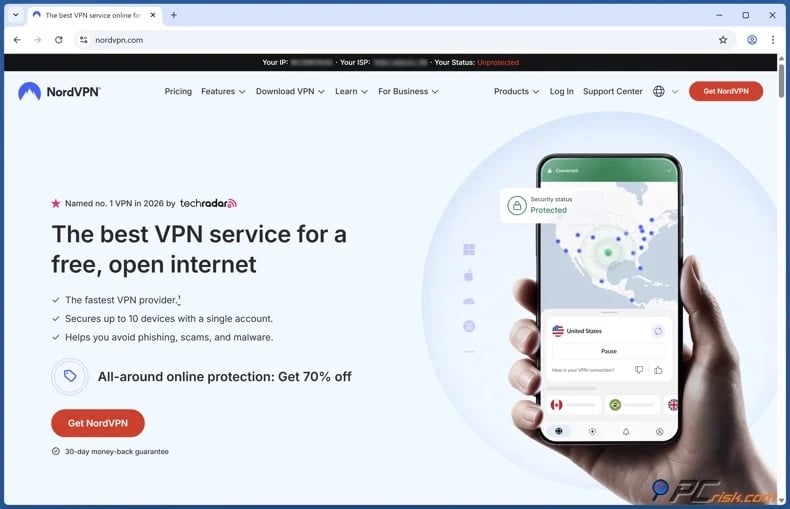
1. Choose a reputable VPN provider with fast servers, modern protocols, strong privacy features, and support for your IPTV devices. We recommend NordVPN - our Top Pick for 2026.
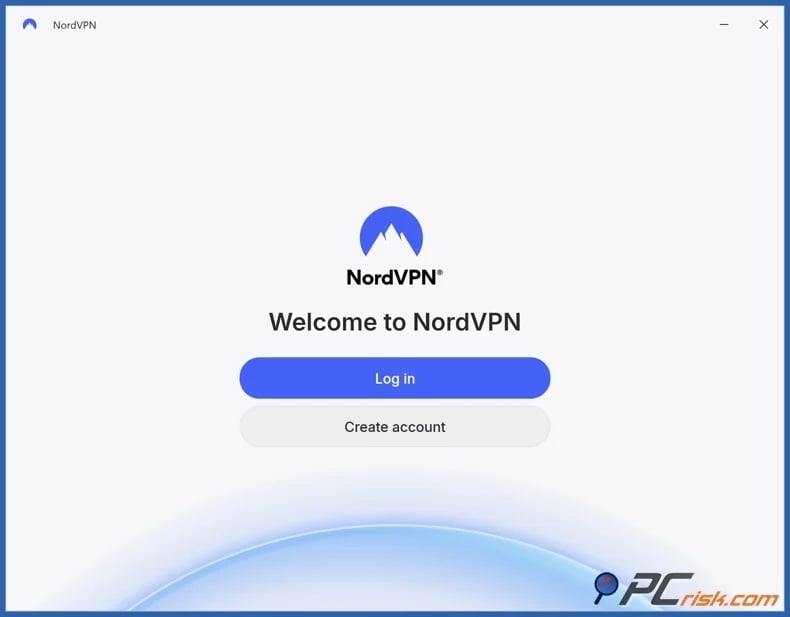
2. Download the VPN from an official source, install it on your device, and sign in. Many of the major VPNs are compatible with various platforms, including Windows, macOS, iOS, Android, smart TVs, and streaming hardware. Likewise, a single subscription from these services usually covers multiple devices.
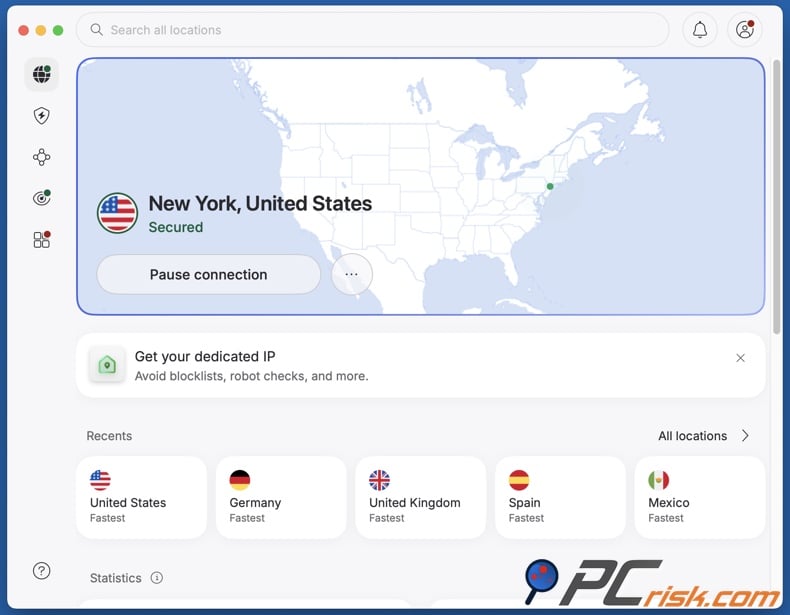
3. Enable key security features and connect to an appropriate server. Activating features such as the kill switch, DNS leak protection, and automatic connection will help keep your traffic secure if the VPN disconnects. Note that server distance can impact speed and stability; select a close server whenever possible.
4. Open the IPTV app or website only after connecting to the VPN. This ensures the service recognizes the VPN server's IP address from the start. Begin streaming and check loading time, picture quality, buffering, and stability. If performance is poor, try another nearby server or a different VPN protocol.
Smart TV VPN setup:
Some smart TVs support direct installation of VPN applications. If available, install the VPN from the TV's app store, sign in, connect to a server, and then launch the IPTV service.
The general process is as follows:
1. Open the application store on the smart TV.
2. Search for the VPN provider's official application.
3. Install the application and sign in to your account.
4. Connect to an appropriate VPN server.
5. Return to the IPTV application and test the stream.
If your smart TV does not support VPN apps, you have several options:
- Use a VPN-enabled router.
- Share a VPN connection from another device.
- Connect an external streaming device with VPN support.
- If available, use Smart DNS.
Note that Smart DNS can change DNS routing, but does not encrypt traffic or offer the same privacy as a VPN. Router-level VPN is a practical option for smart TVs, IPTV boxes, consoles, and other devices that cannot run VPN applications directly. Once the router is connected to the VPN, compatible devices using that network can have their traffic routed through the encrypted connection automatically.
General router setup process is as follows:
1. Confirm that the router supports VPN client connections.
2. Sign in to your VPN account and download the required manual configuration files.
3. Open the router's administration interface.
4. Locate the VPN client or manual VPN configuration section.
5. Import the configuration file and enter the required account details.
6. Save the settings and connect the router to the selected VPN server.
7. Reconnect the smart TV or IPTV device to the router and test the stream.
Important notes: Router setup varies by manufacturer and firmware. Always follow your VPN provider's instructions. Only install or replace router firmware if you fully understand the process, as errors can cause malfunctions. Router-level VPN connections may be slower than app-based ones. The router encrypts traffic for all devices, and lower-powered hardware can limit performance during high-resolution streaming or heavy use.
Best VPNs for IPTV
According to our 2026 VPN rankings and IPTV requirements, NordVPN, Surfshark, Mullvad VPN, Proton VPN, and ExpressVPN are the top choices. These providers consistently stand out for their strong privacy, device compatibility, and usability. For IPTV, key differences include streaming performance, privacy standards, router and TV support, and the level of setup required.




1. NordVPN is the top choice for most IPTV users. This ranking is due to the VPN's extensive server network, fast speeds, smart TV compatibility, router support, and a consistently verified no-logs policy. In February 2026, NordVPN completed its sixth independent no-logs audit. Its server list includes thousands of servers in over 160 countries, offering IPTV users a reliable mix of speed, privacy, and flexibility.
NordVPN is a particularly practical choice if you need a single VPN for all uses, not just IPTV. It supports Android TV and Apple TV, provides router setup guides, and offers Smart DNS for TVs where VPN apps are unavailable. NordVPN's strong streaming compatibility and broad infrastructure make it the most flexible option for use across devices.
2. Surfshark offers the best value for households with multiple devices. It is ranked second for the standout feature of unlimited simultaneous device connections, which is ideal for IPTV use across TVs, phones, tablets, laptops, and travel devices. Surfshark highlights unlimited connections, straightforward router setup, and an independently verified no-logs policy, including Deloitte verification and a 2025 infrastructure audit.
Surfshark is also well-suited for IPTV due to its convenience. It has modern protocols, provides manual router setup guides, and allows coverage of many devices under one subscription without managing connection limits. Surfshark is the choice if your priorities are affordability and broad device coverage.
3. Mullvad VPN prioritizes privacy above all else. While it is less effective at unblocking streaming services and less mainstream than NordVPN or Surfshark, its privacy standards are exceptional. Mullvad VPN has a strong no-logs policy, and audits confirm no user activity data is logged during relay testing. It also offers anonymous accounts, as registration does not require personal information, not even an email address.
Mullvad VPN is perfect for users who value trust over accessing every geo-restricted streaming platform. It supports Android and Fire TV, offers split tunneling, and maintains a streamlined product. Mullvad VPN is the best option if your priority is privacy on home and public networks with minimal data collection.
4. Proton VPN is a top choice for transparency and an operational free tier. Its standouts include open-source applications, audited privacy practices, and a robust free plan. Proton VPN's no-logs policy has been verified by Securitum. For IPTV, Proton appeals to users who want strong privacy minus an immediate paid commitment.
Proton VPN offers an Android TV app, router support, and a free plan with no data limits, ads, or activity logging. Paid plans add more locations and flexibility, but the free tier remains strong by VPN standards. Proton VPN is a dependable choice for a low-risk trial that can scale into a comprehensive solution.
5. ExpressVPN is an excellent choice for premium simplicity. Its highlight is the polished user experience, as the VPN apps are easy to install and troubleshoot, which is valuable for IPTV users managing multiple devices. ExpressVPN has a no-logs policy, the Lightway protocol, native applications for major platforms, TV support, and router compatibility.
ExpressVPN is ideal if you want an IPTV VPN that is reliable and uncomplicated. It supports Android TV, Fire TV, Apple TV, router-level protection, and MediaStreamer for TVs that do not support VPN apps directly. ExpressVPN promotes Lightway as a fast, stable protocol suitable for performance-sensitive streaming. ExpressVPN is a solid option for a straightforward experience.
While no VPN can guarantee access to every IPTV service due to changing regional rules and VPN blocks, all five are reputable choices for privacy-focused IPTV use in 2026.
Can you use a free VPN for IPTV?
You can use a free VPN for IPTV, but it is generally a compromise for regular streaming. Free VPNs may suffice for light testing, occasional browsing, or diagnosing network restrictions. However, they are rarely suitable for sustained IPTV viewing, particularly if you require stable HD or 4K playback, broad device compatibility, or strong privacy protections. Even the best free services are typically more limited than paid options.
The following are some of the primary limitations linked to free VPNs:
Limited servers and congestion: many free VPNs have fewer servers and locations, resulting in more users sharing the same infrastructure. For IPTV, this often results in buffering, inconsistent quality, and unstable playback during peak times.
Speed limits and weaker performance: some free VPNs manage network load by limiting speeds or prioritizing paid users. Streaming is often the first activity to be affected.
Data caps or narrow plan limits: many free VPNs restrict monthly or daily usage, which is not suitable for video streaming. IPTV can quickly consume large amounts of bandwidth, so seemingly generous free allowances are often exhausted after a short period of viewing.
Privacy tradeoffs: some free VPNs rely on adverts, tracking, or questionable monetization practices. This undermines one of the main reasons users seek a VPN. Free VPNs may log data, inject ads, or sell browsing history.
Shared IP reputation problems: free VPN IP addresses are often heavily reused, making them more likely to be flagged. This can result in streaming errors, CAPTCHAs, or denial of service on platforms that actively detect VPN usage.
Fewer apps and weaker protection features: leak protection, kill switches, TV apps, and router support are typically limited or unavailable. Hence, free VPN tools are less reliable for living-room IPTV setups than they may initially seem.
If you prefer to use a free option, the free tier of Proton VPN is the most reliable option. This plan has no data limits, no ads, and does not log user activity - and these factors make it far more credible than most free alternatives. While the paid tiers are a superior choice, especially for streaming, Proton VPN's free plan is an excellent starting point for testing without encountering the typical drawbacks of the free VPN market.
Common issues and solutions when using a VPN for IPTV
Knowing common VPN issues and solutions for IPTV is important, as many problems attributed to the VPN actually result from device limitations, server selection, local network conditions, or the IPTV service itself. Established providers offer extensive troubleshooting resources for speed, connection, location, and application compatibility, which is one reason reputable services are generally preferable to unknown or poorly supported alternatives.
Buffering or slower speeds: usually caused by server distance, server load, protocol selection, packet loss, router limitations, or a weak base connection. A speed test may also appear normal while unstable latency or jitter causes IPTV playback to pause.
Potential solutions:
- Check your base Internet connection.
- Connect to a different server (note that server distance can exacerbate speed loss and latency).
- If this data is available in your VPN app, connect to a less crowded server.
- If available with your VPN, switch to a different protocol (some work better on certain networks).
- If applicable, pause bandwidth-intensive background activity (other streams, downloads, cloud backups, etc.).
- Test the IPTV service without the VPN to isolate the cause.
- If you are using a router-based VPN setup, remember that it may be causing a bottleneck.
The IPTV app continues to show the wrong location: some services cache location data, and IP geolocation databases are not always updated immediately. The application may also use GPS, device location permissions, account-region settings, DNS information, or previous session data instead of relying only on the visible IP address.
Potential solutions:
- Connect to the VPN before opening the IPTV app.
- Close the IPTV app and clear its cache or stored data (if possible).
- Restart the device after changing VPN locations.
- Connect to a different server in the same country or region.
- If location permissions are not required for the IPTV service, disable them.
- Confirm that the region selected in the IPTV account is consistent with the VPN server location.
The VPN disconnects or will not connect: can happen because of network filtering, temporary routing problems, overloaded servers, application errors, or an incompatible protocol.
Potential solutions:
- Connect to a different server.
- If available with your VPN, switch to a different protocol (some work better on certain networks).
- If available with your VPN, use an obfuscated or restrictive-network mode.
- If there are updates pending for your VPN - implement them.
- Restart the VPN app, device, router, or Internet gateway. If possible, try another network to determine whether the local connection is interfering.
- Check whether another firewall, security application, or VPN profile is conflicting with the connection.
Internet access stops after the VPN disconnects: often caused by the kill switch rather than a failure of the IPTV service. The kill switch intentionally blocks traffic when the encrypted tunnel drops.
Potential solutions:
- Connect to a different server.
- If applicable, when the connection repeatedly fails - change protocols.
- Restart the VPN app.
- Temporarily disable the kill switch only for troubleshooting; re-enable it afterward if continuous leak protection is important.
The VPN closes when the device sleeps: some devices restrict background applications to save power or memory. This can interrupt the VPN tunnel while IPTV remains open.
Potential solutions:
- Allow the VPN app to run in the background.
- Disable battery optimization or power-saving restrictions for the VPN where appropriate.
- If available with your VPN, enable auto-connect or always-on.
- Check whether the device is automatically closing unused apps.
- Restart the device after changing background activity settings.
The TV or IPTV box does not support VPN apps: common on smart TVs and older streaming hardware.
Potential solutions:
- Use a compatible external streaming device that supports VPN apps.
- Configure the VPN on a compatible router.
- Share a VPN connection from another supported device.
- If available with your VPN, use Smart DNS (note that it does not provide the same VPN encryption).
The IPTV service blocks the VPN: some services flag known VPN IPs or apply additional checks when many users connect from the same IP address.
Potential solutions:
- Connect to a different server.
- Close and reopen the IPTV app after changing servers.
- Clear cookies, cache, and previous log-in sessions.
- If possible, use an established VPN provider with a broad server network and responsive support.
The IPTV account requests repeated verification: frequent IP or location changes can trigger fraud-prevention systems, log-in challenges, password resets, or temporary account restrictions.
Potential solutions:
- Avoid switching rapidly between several countries or distant locations.
- When possible, use a consistent nearby server.
- Confirm that the account region, billing details, and VPN location do not conflict.
- Complete legitimate verification requests rather than attempting to bypass account security.
- If the account is locked despite authorized use, contact the IPTV provider.
Only part of the IPTV service works: the app may open and display menus, while live channels, replay content, program guides, images, or on-demand libraries fail to load. Different parts of the service may use separate servers, ports, domains, or content-delivery networks.
Potential solutions:
- Connect to a different server.
- If available with your VPN, switch to a different protocol (some work better on certain networks).
- Close and reopen the IPTV app after changing servers.
- Disable custom DNS settings temporarily.
- Check whether the problem also occurs without the VPN.
DNS, IPv6, or IP leaks reveal the original connection: an incorrectly configured VPN may allow some requests to bypass the tunnel. This can cause the IPTV service to detect a location mismatch.
Potential solutions:
- If available with your VPN, enable DNS and leak-protection features.
- Unless it is necessary, avoid combining several custom DNS, proxy, and VPN configurations.
- If the VPN app's network settings have previously been changed, restore default settings.
- Test for IP, DNS, and IPv6 leaks after connecting.
- If leaks continue using the recommended VPN settings, contact the provider.
Casting, remote controls, or local devices stop working: some VPNs block local-network communication by default. This may prevent a phone from controlling a TV, finding a casting device, or accessing local media servers.
Potential solutions:
- If available with your VPN, enable local-network access.
- If available with your VPN, use split tunneling to exclude casting or remote-control apps.
- Confirm that the devices are connected to the same local network.
- When practical, connect the VPN directly on the playback device rather than the controlling phone.
- If applicable, do not disable leak protection.
Split tunneling sends the wrong app outside the VPN: a misconfigured exclusion list may cause the IPTV app, browser, or supporting service to use the ordinary Internet connection.
Potential solutions:
- Review which apps are included/excluded from the VPN tunnel.
- If the IPTV app should be included, remove it from the exclusion list.
- After changing split-tunneling settings, restart the VPN and IPTV apps.
- Where possible, test the visible IP address from the same app or browser used for IPTV.
Router-level VPN setup behaves inconsistently: some devices may bypass the VPN because of router rules, guest networks, IPv6 behavior, double-router configurations, or separate Wi-Fi bands. Incorrect MTU settings can also cause streams to load partially or disconnect.
Potential solutions:
- Confirm that the IPTV device is connected to the VPN-protected network.
- Check whether guest networks or selected devices are excluded from the VPN.
- After importing or changing VPN settings, restart the router.
- Follow the VPN provider's instructions for DNS, IPv6, and MTU configuration.
- Unless you have the necessary understanding for reversal, avoid unsupported firmware or advanced routing changes.
- If router performance remains unreliable, use the VPN app directly on the device where possible.
Public or managed Wi-Fi prevents the VPN from connecting: hotel, workplace, school, or public networks may require users to complete a browser log-in page before other connections are permitted.
Potential solutions:
- Disconnect the VPN temporarily.
- Open a browser and complete the network's log-in or acceptance page.
- After Internet access is active, reconnect the VPN.
To summarize, reputable VPN providers offer detailed setup guides and support for IPTV connection, speed, privacy, and compatibility problems. This is a huge advantage over free or low-quality tools, which may have crowded servers, weak leak protection, limited device support, and little assistance when problems arise. However, even a premium VPN cannot correct an unreliable IPTV service, insufficient bandwidth, unsupported hardware, or restrictions enforced at the account level.
Is using a VPN for IPTV legal?
In the United States and many other countries, VPN use is legal and common for privacy, security, remote work, and safer browsing. However, legal status varies in countries that block VPNs, require government approval, restrict unauthorized providers, or penalize use for prohibited activities.
Some countries where VPNs are banned, blocked, or tightly restricted include:
Belarus - VPN services are blocked as an aspect of broader restrictions on tools used to access prohibited websites and online content.
Iraq - VPN use is restricted or prohibited, especially during unrest, security concerns, or government-imposed Internet controls.
North Korea - ordinary citizens have very limited Internet access, and unauthorized VPN use is effectively prohibited.
Oman - VPN services may require authorization, and using unapproved tools or encrypted communications could carry legal risks.
Turkmenistan - VPN services are heavily blocked, and authorities restrict tools that bypass state Internet censorship.
China - only government-approved VPN services are permitted. Unauthorized providers are often blocked and may put users at risk or operators at risk of penalties.
Iran - unauthorized VPN services are restricted, and authorities regularly block circumvention tools, especially during political unrest.
Russia - VPN providers may be required to comply with government blocking rules. Services that allow access to prohibited content can be restricted or banned.
Turkey - VPN services are legal in principle, but authorities may block specific providers or protocols amid political events, protests, or broader Internet restrictions.
United Arab Emirates - VPN technology is not automatically illegal, but using it to conceal criminal activity, commit fraud, or access prohibited content may lead to serious penalties.
It must be emphasized that rules and enforcement may change. Users should verify current local laws before using a VPN in a restrictive jurisdiction. It must also be stressed that a VPN does not remove legal responsibility. If an IPTV service distributes copyrighted channels, films, or sports broadcasts without authorization, using a VPN does not make the activity lawful. Enforcement actions against illegal streaming networks show that VPN technology may be legal, but the underlying conduct can still be prohibited. A VPN is a privacy and security tool, not protection from copyright law or criminal liability.
In closing
A VPN can be incredibly valuable for IPTV in 2026. These services improve privacy, limit local network visibility, support use on restrictive networks, and can make content-based throttling more difficult. Recommended providers include NordVPN, Surfshark, Mullvad VPN, Proton VPN, and ExpressVPN. The best option depends on whether you value overall performance, household coverage, strict privacy, transparency, or seamless use.
Our top pick of the year: almost no slowdown in our speed tests, and it unblocked Netflix, BBC iPlayer and Disney+ without trouble. $3.39/mo on the 2-year plan or $4.99/mo on the 1-year plan, 30-day money-back guarantee. Compare all three
Remember, a VPN is most effective when used within a lawful and practical setup. It will not resolve all playback issues, guarantee access to every IPTV platform, or legitimize unauthorized streaming. Use a VPN to enhance privacy and flexibility, choose high-quality tools, and maintain realistic expectations.
Frequently Asked Questions (FAQ)
Why do I need a VPN for IPTV?
A VPN protects your privacy, limits local network visibility, increases security on public Wi-Fi, and can make it harder to enforce content-based throttling or basic network restrictions. It is also helpful if legitimate content availability changes while you travel.
What should I look for in a VPN for IPTV?
Choose a VPN with fast and numerous servers, reliable apps, support for routers and TVs, a kill switch, leak protection, independently audited no-logs policies, and responsive customer support. If you stream on several devices at home, consider the limit on simultaneous connections.
Is it legal to use a VPN for IPTV?
In many countries, including the US, VPNs are legal. However, some countries restrict or ban their use, such as Turkmenistan, North Korea, Iran, and others. Note that using a VPN does not legalize unauthorized streaming or copyright infringement.
Share:
 Facebook
 X.com
X.com
 LinkedIn
 Copy Link

Karolis Liucveikis
Experienced software engineer, passionate about behavioral analysis of malicious apps
Author and general operator of PCrisk's News and Removal Guides section. Co-researcher working alongside Tomas to discover the latest threats and global trends in the cyber security world. Karolis has experience of over 8 years working in this branch. He attended Kaunas University of Technology and graduated with a degree in Software Development in 2017. Extremely passionate about technical aspects and behavior of various malicious applications.
▼ Show Discussion